
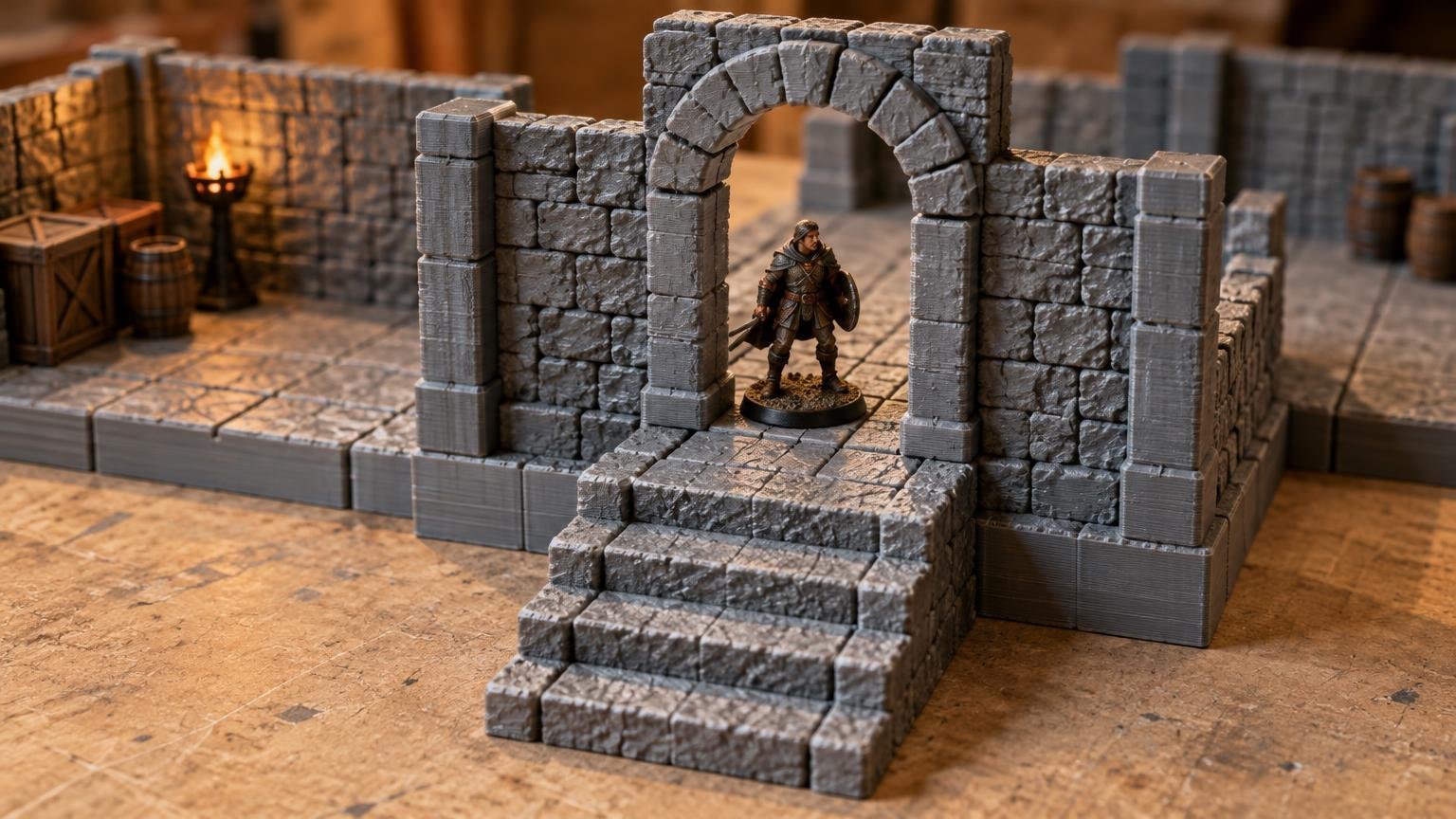
TLDR
There is no single dungeon doorway height 32mm miniatures universally require. Measure the tallest representative figure from the finished floor to its highest non-flexible point, then add deliberate handling clearance. Check width separately against bases, shields, weapons, cloaks, and wide poses. Before printing a full dungeon, test the opening in a small module that also includes your floor, wall, corner, and any relevant stair or raised-floor interface.
The “32mm” label is a category, not a complete doorway specification. Two figures sold for the same broad scale can differ substantially because of their bases, proportions, poses, helmets, weapons, and accessories. The useful question is not whether a doorway looks correct beside a nominal 32mm figure. It is whether the clear aperture admits the miniatures used at your table without breaking the dungeon’s grid, walls, connectors, or elevation system.
The short answer: design the clear opening around real figures
Start with the clear doorway aperture: the unobstructed space between the jambs and between the finished floor and the lowest part of the lintel or arch. Do not use the exterior frame height. Decorative stonework can make a doorway appear tall while leaving a much smaller usable opening.
Your minimum functional height should be the standing height of a representative tall miniature, including its base, plus a clearance margin chosen for how the terrain will be used. A display-oriented doorway can have tighter clearance. A reusable gaming doorway benefits from more room because players need to place and remove figures quickly without catching a weapon or scraping painted terrain.
Apply the same logic to width. The miniature’s body may fit while its base, shield, cloak, or sideways weapon does not. A circular base also needs enough room to pass through the narrowest point without being tilted. Height and width therefore need to be validated together.
Know which doorway measurement you are changing
| Measurement | What it means | Why it matters |
|---|---|---|
| Clear opening height | Finished floor to the lowest obstruction above the opening | Determines whether the complete miniature and base can pass through |
| Clear opening width | Narrowest unobstructed distance between the jambs | Controls base and pose clearance |
| Exterior frame height | Floor to the top of the arch, frame, or surrounding stones | Changes appearance but may not increase usable clearance |
| Wall height | Finished floor to the top of the wall section | Affects access, visibility, storage, and structural proportions |
| Floor thickness | Bottom of the tile to its playable surface | Changes the miniature’s position relative to connected doors and stairs |
| Threshold height | Any raised strip at the bottom of the opening | Can reduce effective clearance or catch miniature bases |
| Floor-to-floor elevation | Vertical distance between connected playable levels | Controls stairs, bridges, upper doors, and stacked rooms |
Always measure doorway height from the surface on which the miniature actually stands. If a tile includes a raised threshold, inset floor, scenic debris, or separate floor insert, measuring from the model’s construction plane can produce a misleading result.
Measure the miniatures your dungeon must accommodate
Printable Realms’ scaling guidance recommends test fitting with the miniatures actually used at the table rather than trusting only a 28mm or 32mm label. It also notes that scaling connected terrain affects grids, doors, stairs, connectors, and other interfaces together. The terrain scaling guide explains those linked consequences in more detail.
Build a small representative group rather than measuring only one average adventurer. Include the figures most likely to expose a problem:
- A typical upright humanoid on its normal base
- The tallest regularly used humanoid, including its base
- A figure with a raised sword, staff, banner, helmet, or similar rigid feature
- A wide pose with a shield, cloak, wings, or sideways weapon
- The largest base that should move through an ordinary single doorway
- A painted figure you would not want to scrape against the frame
For each figure, record total standing height from the bottom of the base, base diameter or width, and the widest rigid part of the pose. Separate ordinary figures from exceptional models. A dramatic banner bearer or large creature may justify a special gate rather than forcing every interior doorway to become oversized.
Lock the dungeon system before refining the door
A doorway is not an isolated prop. It intersects the playable grid, floor footprint, wall position, corner geometry, connectors, and elevation standards. Printable Realms’ overview of modular dungeon grids, walls, and connectors covers why these edge conditions determine whether a collection can form usable rooms instead of merely producing compatible-looking pieces.
Decide where walls sit before choosing doorway width. Walls placed inside a tile footprint consume playable area and can turn a nominally wide corridor into a tight channel. Edge-based or separate walls preserve more floor area, but they change the external footprint and the way rooms meet. Neither arrangement is automatically correct; the important requirement is consistency across straight walls, corners, door sections, and intersections.
The physical grid is another separate decision. The D&D Beyond Basic Rules describe grid play in which each game square represents 5 feet and a Small or Medium creature occupies one square. That game-space rule does not prescribe one universal physical size for every printed tile. A 1-inch square, equal to 25.4 mm, is a common terrain convention, but it remains a physical design choice that must be coordinated with bases and walls.
Check doors against stairs and raised floors
Vertical compatibility is where a doorway that works in a flat test can fail in a complete dungeon. A stair landing may raise the approach surface. An upper floor may use a different thickness. A bridge may meet the doorway above its intended threshold. Each change alters the effective opening or introduces an awkward step immediately in front of it.
Choose one finished-floor reference for each level, then locate door thresholds, landings, bridges, and upper floors relative to that reference. If elevation pieces use sockets or structural interfaces, preserve those locations while adjusting decorative arches. This keeps the functional system stable even when different wall themes use different stonework.
Wall height deserves a separate decision. Taller walls can improve the sense of enclosure and provide room for imposing arches, but they can also make miniatures harder to reach and rooms harder to see. Lower walls improve access but reduce visual mass. Removable wall tops, lift-out door leaves, or open-backed frames can improve handling without changing the doorway’s fundamental footprint.
Print a compact doorway calibration module
Do not validate a doorway by printing an entire room. Create a small test module containing enough surrounding geometry to expose system problems. A useful calibration print includes:
- A short floor section with the final surface height and texture
- The doorway with its narrowest jamb and lintel geometry
- A short straight wall to reveal wall thickness and hand access
- A corner or adjoining wall interface
- The intended connector, socket, or tile edge
- A corridor-width check on at least one side
- A stair landing or raised-floor connection if the system uses elevation
Pass every representative miniature through the opening in the way players will actually move it. Do not test only whether a figure can be forced through at an angle. Look for bases catching on thresholds, weapons striking the arch, fingers colliding with tall walls, and adjoining wall sections preventing a natural approach.
If the digital model needs inspection before printing, PrusaSlicer’s documented measurement tool can help check distances in model geometry. Treat that as a geometry check rather than proof of usability; a physical calibration piece remains the better way to evaluate hand access, surface texture, printer tolerances, and painted-miniature clearance. PrusaSlicer measurement tool documentation
Change the smallest feature that solves the problem
When a test fails, identify the actual obstruction before scaling anything. If a base catches, widen the clear opening or revise the threshold. If a raised weapon hits the lintel, increase clear height or reserve that miniature for a larger doorway type. If fingers cannot reach the figure, changing wall access may help more than enlarging the door.
Uniformly scaling one door section is risky because it also changes wall thickness, texture size, connector geometry, and floor alignment. Scaling an entire modular family can preserve relative proportions, but it also changes the grid, stairs, sockets, and every other connected feature. Check all interfaces before committing to that approach.
A decorative arch offers more freedom. You can make the exterior frame look taller by extending stones upward, changing the arch profile, or adding a recessed facade while leaving the clear opening, wall base, connectors, and adjoining interfaces unchanged. This is often the safest way to improve visual proportions without disrupting compatibility.
Pre-production checklist
- Measure complete miniatures from the bottom of their bases
- Record the widest bases and rigid poses expected to use ordinary doors
- Define clear opening height and width separately from exterior frame dimensions
- Confirm whether walls consume playable grid space
- Use one finished-floor reference for doors, stairs, bridges, and upper levels
- Keep connectors and adjoining wall interfaces unchanged unless the full system is being revised
- Test thresholds for base catching
- Check hand access with adjoining walls installed
- Print a compact calibration module before producing rooms in quantity
- Retest after any scaling operation that affects connected terrain
Frequently asked questions
How tall should a dungeon doorway be for 32mm miniatures?
Make the clear opening taller than the tallest representative ordinary figure, measured from the bottom of its base to its highest rigid point, with additional handling clearance. There is no universal number implied by “32mm.” Validate the result with a physical test opening.
Can 32mm miniatures use terrain marketed for 28mm figures?
Sometimes. Compatibility depends on the actual doorway aperture, base size, wall placement, furniture spacing, stairs, and pose—not just the marketing label. Compare real measurements and test the most demanding regularly used figures. The broader differences are covered in this 28mm versus 32mm terrain comparison.
Should every doorway fit raised weapons and banners?
Not necessarily. Design ordinary doors around the figures that routinely need to pass through them. Exceptional poses can use open arches, gates, removable walls, or abstract movement when forcing every doorway larger would damage the dungeon’s proportions and playable area.
Does a 1-inch grid determine doorway size?
No. It establishes a useful horizontal planning convention, not an automatic clear height or width. Wall thickness and placement can also reduce the usable space around a one-inch floor square.
Should I scale a complete 28mm dungeon to 32mm?
Only after checking the complete system. Uniform scaling changes more than doors: it can alter grids, connectors, sockets, stairs, wall thickness, texture, and floor-to-floor elevation. A targeted doorway revision may be safer when the original grid and interfaces already work.
Build for passage, access, and compatibility
The right dungeon doorway height is the one that clears your representative miniatures while preserving the standards that make the rest of the dungeon modular. Measure from the finished floor, test width and height together, and include surrounding walls and elevation features in the calibration print. Once that small module works at the table, freeze the aperture and interface dimensions before producing the full set.
References
- How to Scale 3D Printed Terrain for 28mm, 32mm, and 1-Inch Grid Games – printablerealms.com
- Modular Dungeon Tiles Explained: Grids, Walls, Connectors, and What Actually Matters – printablerealms.com
- Playing the Game – D&D Beyond Basic Rules – Dungeons & Dragons – Sources – D&D Beyond
- Measurement tool | Prusa Knowledge Base